We brought one of LinkedIn’s most engaging content formats directly into Social Planner.
You can now create, schedule, and publish LinkedIn Polls without leaving the platform.
From audience research to engagement campaigns, LinkedIn Polls are now part of your Social Planner workflow.
What’s new
- Native LinkedIn Poll Creation
- Create LinkedIn polls directly from the Social Planner composer.
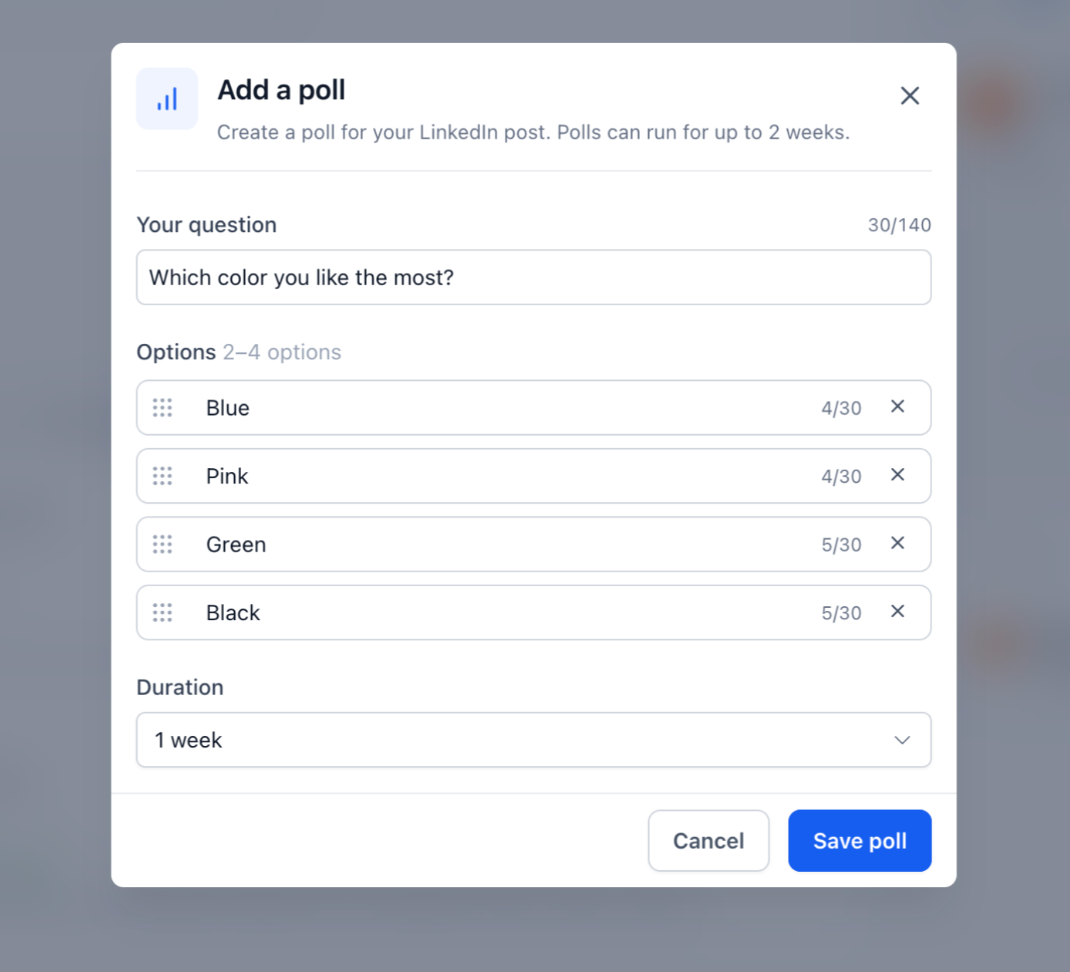
- Add a poll question (up to 140 characters)
- Add 2–4 answer options (up to 30 characters each)
- Configure everything without switching to LinkedIn
- Flexible Poll Duration Options
Choose how long your poll remains active:
- 1 Day
- 3 Days
- 7 Days
- 14 Days
- Poll Preview Before Publishing: Review your poll before it goes live to ensure your question, options, and duration are set correctly.
Works Across Existing Publishing Flows: LinkedIn Polls are fully integrated with Social Planner workflows, including:
- Instant Publishing
- Scheduled Posts
- Recurring Posts
- Category Queue
- CSV Bulk Uploads
- Drafts
How to use this feature
- Go to Marketing → Social Planner
- Create a new post and select a LinkedIn account
- Click Add Poll
- Enter your poll question and answer options
- Select a poll duration
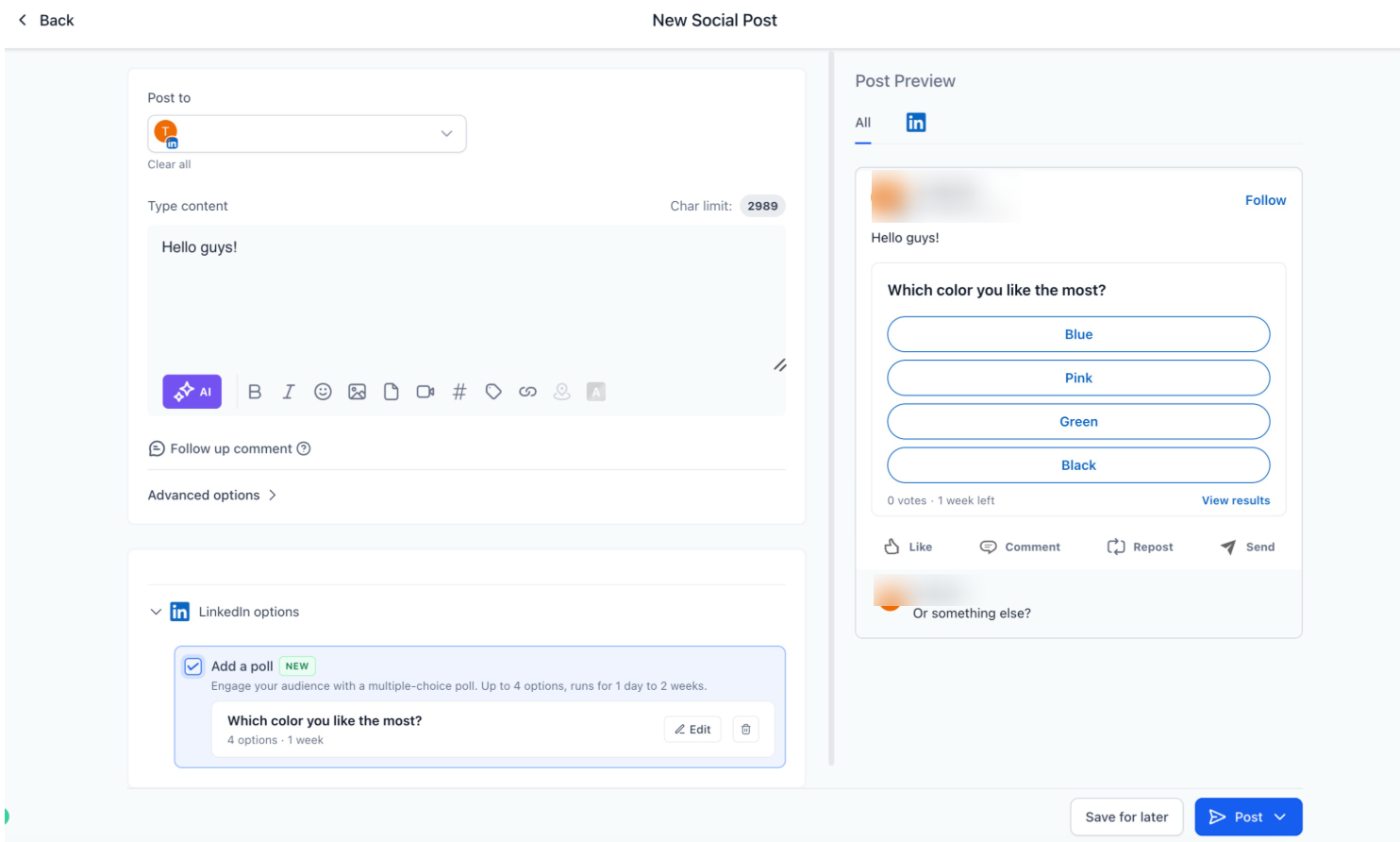
- Publish, schedule, save as draft, or add to a queue
Why it matters
- Create more engaging LinkedIn content
- Gather audience feedback directly through polls
- Increase interaction and participation on LinkedIn posts
- Manage poll publishing alongside all other content in Social Planner
- Reduce the need to switch between tools for content creation
Notes
- LinkedIn Polls cannot be combined with images, videos, PDFs, or other media
- When publishing to multiple platforms, media can still be added to non-LinkedIn variants
- If media is attached to the LinkedIn version of the post, the poll will not be published
- Polls support 2–4 answer options only
Was this article helpful?
That’s Great!
Thank you for your feedback
Sorry! We couldn't be helpful
Thank you for your feedback
Feedback sent
We appreciate your effort and will try to fix the article